
Download NeO – Organize Notes, Secure Indexing & Spotlight Search
Why NeO Stands Out in the Crowded Note‑Taking Landscape
In an era where information overload is the norm, finding a tool that truly keeps your digital life tidy can feel like hunting for a needle in a haystack. NeO answers that challenge with a single, crystal‑clear mission: keep things organized. Unlike generic note‑taking apps that simply store text, NeO acts as a central hub for all types of information—whether it’s a PDF, a web clip, a screenshot, or a handwritten sketch. The software’s intuitive interface lets you annotate directly on any document, while a powerful indexing engine builds a searchable knowledge base behind the scenes. Thanks to built‑in spotlight search, you can retrieve a specific fact, phrase, or file in a fraction of a second, turning a chaotic collection of notes into a well‑structured repository you can trust.
What makes NeO truly professional‑grade is its focus on cross‑source integration. You can pull data from cloud storage services, local folders, or even clipboard history, and NeO will automatically tag and index each piece for fast retrieval. The app also respects privacy; all indexing happens locally, ensuring that your sensitive research, meeting minutes, or personal ideas never leave your device without your explicit permission. Whether you’re a student juggling lecture slides, a researcher managing dozens of PDF articles, or a busy professional juggling meeting notes and project files, NeO offers a secure, free‑to‑try solution that scales with your workflow.
Core Features That Turn NeO Into a Productivity Powerhouse
- Universal Annotation Engine: Highlight, underline, add sticky notes, or draw shapes on PDFs, images, and plain‑text files without leaving the app.
- Advanced Indexing & Spotlight Search: Every piece of content is indexed in real time, allowing instant keyword or phrase searches across all notes.
- Multi‑Source Import: Drag‑and‑drop files, import from cloud services (Google Drive, Dropbox, OneDrive), or paste directly from the clipboard.
- Smart Tagging & Auto‑Categorization: NeO suggests tags based on content type and context, helping you keep related notes together.
- Secure Local Storage: All data is stored on your device with optional encryption, ensuring privacy and compliance with data‑protection regulations.
- Cross‑Platform Sync (Beta): Sync your notes across Windows, macOS, Android, and iOS via encrypted cloud backup for seamless access.
- Customizable Workspaces: Create separate workspaces for projects, subjects, or teams, each with its own folder hierarchy.
- Export & Backup Options: Export notes as Markdown, PDF, or plain text, and schedule automatic backups to external drives.
Each feature is built with the end‑user in mind. For instance, the annotation engine isn’t limited to text—students can markup lecture slides directly, while designers can add comments to mock‑up images. The spotlight search leverages an AI‑enhanced indexing algorithm that learns from your search habits, gradually improving relevance. Moreover, NeO’s smart tagging reduces the manual overhead of organizing notes; the system automatically detects topics, dates, and key entities, assigning appropriate tags that you can later refine.
The cross‑platform sync, though currently in beta, already demonstrates NeO’s ambition to become the “one‑stop shop” for note management across devices. By encrypting data before it leaves your machine, NeO ensures that even when you store notes in the cloud, they remain unreadable to unauthorized parties. This focus on security, combined with a free tier that offers full core functionality, makes NeO a compelling alternative to premium competitors that often charge for basic features.
Getting Started: Installation, First‑Run Tips, and Compatibility
Installing NeO is designed to be frictionless. The installer is available as a single executable for Windows (64‑bit) and a dmg package for macOS. Android and iOS users can download the app directly from Google Play or the App Store. Once downloaded, the installer guides you through a quick setup wizard that asks for your preferred storage location, optional encryption password, and whether you’d like to enable the beta sync feature.
Step‑by‑step installation guide:
- Visit the official NeO website and click the Download for Windows or Download for macOS button.
- Run the installer (NeOSetup.exe or NeO‑Installer.dmg) and accept the license agreement.
- Choose a destination folder. For maximum performance, select an SSD drive.
- Optionally enable local encryption by setting a strong password; this encrypts your notes at rest.
- Complete the installation and launch NeO.
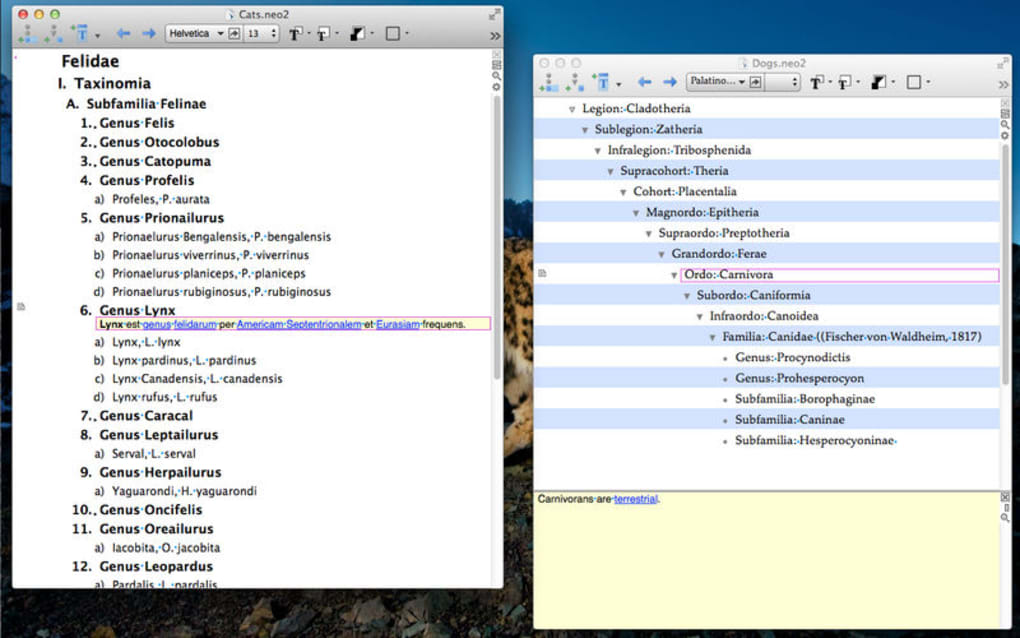
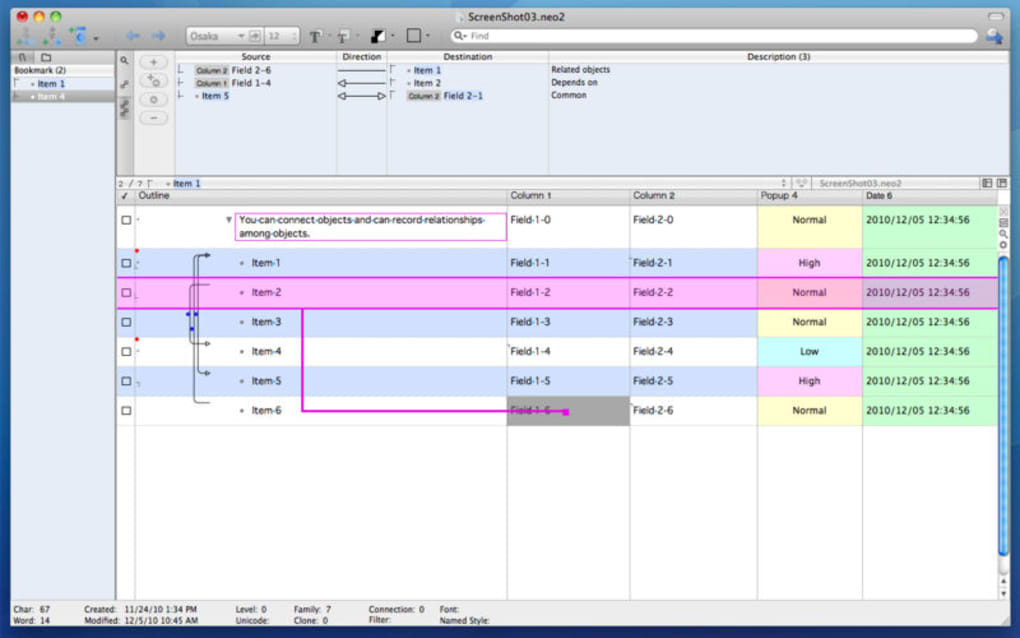
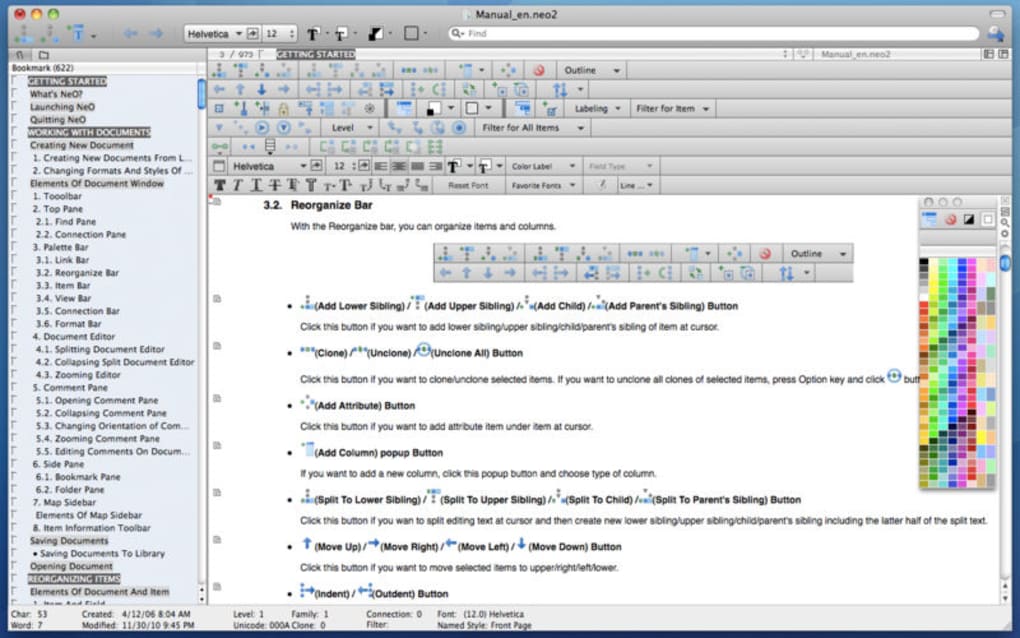
Upon first launch, NeO presents a brief tutorial that demonstrates how to import files, create tags, and use the spotlight search. Users are encouraged to import a few sample documents to see how the indexing works in real time. The interface is divided into three main panes: the left navigation tree (workspaces & tags), the central preview pane (document view with annotation tools), and the right search panel (instant results as you type).
Supported operating systems: Windows 10/11 (64‑bit), macOS 11 (Big Sur) and later, Android 8.0+ (ARM & x86), iOS 13+ (iPad & iPhone). The app automatically checks for updates at startup and offers a one‑click upgrade to keep you on the latest, most secure version.
For power users, NeO provides keyboard shortcuts for almost every action—Ctrl + F to focus the search bar, Ctrl + Shift + A to add a new annotation, and Cmd + N (macOS) to create a fresh workspace. These shortcuts dramatically speed up daily workflows, especially when handling large research projects or extensive meeting minutes.
Pros, Cons, Frequently Asked Questions, and Final Verdict
Pros
- Comprehensive annotation tools for multiple file types.
- Lightning‑fast, AI‑enhanced spotlight search.
- Local‑first security model with optional encryption.
- Free core features; no hidden subscription fees.
- Cross‑platform availability and beta sync.
Cons
- Beta sync can occasionally lag on large data sets.
- Mobile apps lack some advanced desktop annotation features.
- No built‑in collaboration (shared workspaces) yet.
Frequently Asked Questions
Is NeO really free or are there hidden costs?
NeO offers a completely free tier that includes all core features—annotation, indexing, spotlight search, and local encryption. Premium plans are optional and only add advanced collaboration and priority support.
Can I import existing notes from other apps like Evernote or OneNote?
Yes. NeO provides an import wizard that can read ENEX files (Evernote) and OneNote export packages, converting them into searchable NeO notes while preserving tags where possible.
How secure is the optional encryption?
NeO uses AES‑256 encryption for local data stores. Your password is never transmitted; it is used to derive the encryption key locally, ensuring that only you can decrypt your notes.
Will my notes sync automatically across devices?
Sync is available in beta. When enabled, notes are encrypted on your device and then uploaded to NeO’s secure cloud. Changes sync within minutes, but large libraries may take longer to propagate.
What support options are available for free users?
Free users can access the community forum, detailed knowledge base, and email support with a 48‑hour response window. Premium subscribers receive priority chat support.
Final Verdict
NeO delivers on its promise to keep your digital notes organized, searchable, and secure. By combining powerful annotation tools with an AI‑driven indexing engine, the app transforms a simple note‑taking utility into a full‑featured knowledge management system. The free tier already offers enough depth for students, researchers, and professionals who demand quick retrieval and robust privacy. While the beta sync feature still has room for improvement and mobile functionality could be richer, these are minor trade‑offs compared with the overall value proposition.
If you’re tired of sifting through scattered PDFs, endless folders, and fragmented sticky notes, give NeO a try. Download the installer today, secure your data with optional encryption, and experience a streamlined workflow that lets you focus on creation rather than organization.
Overall Rating: 4.5/5 – NeO is a must‑have tool for anyone who values organized, searchable notes without sacrificing privacy.







